# Items
### What is a Catalog Item?
A Catalog item may represent any number of things. It may represent a product, it may represent a material used on a product, it may represent a part of a product that is configurable. Regardless, this is simply a list containing all Products and their building blocks, and is meant to reflect the structure of the Product Catalog and its supporting bill of materials.
### Catalog Item Listing
When logging into the Threekit Platform, the user is presented with the paginated Item Listing page.
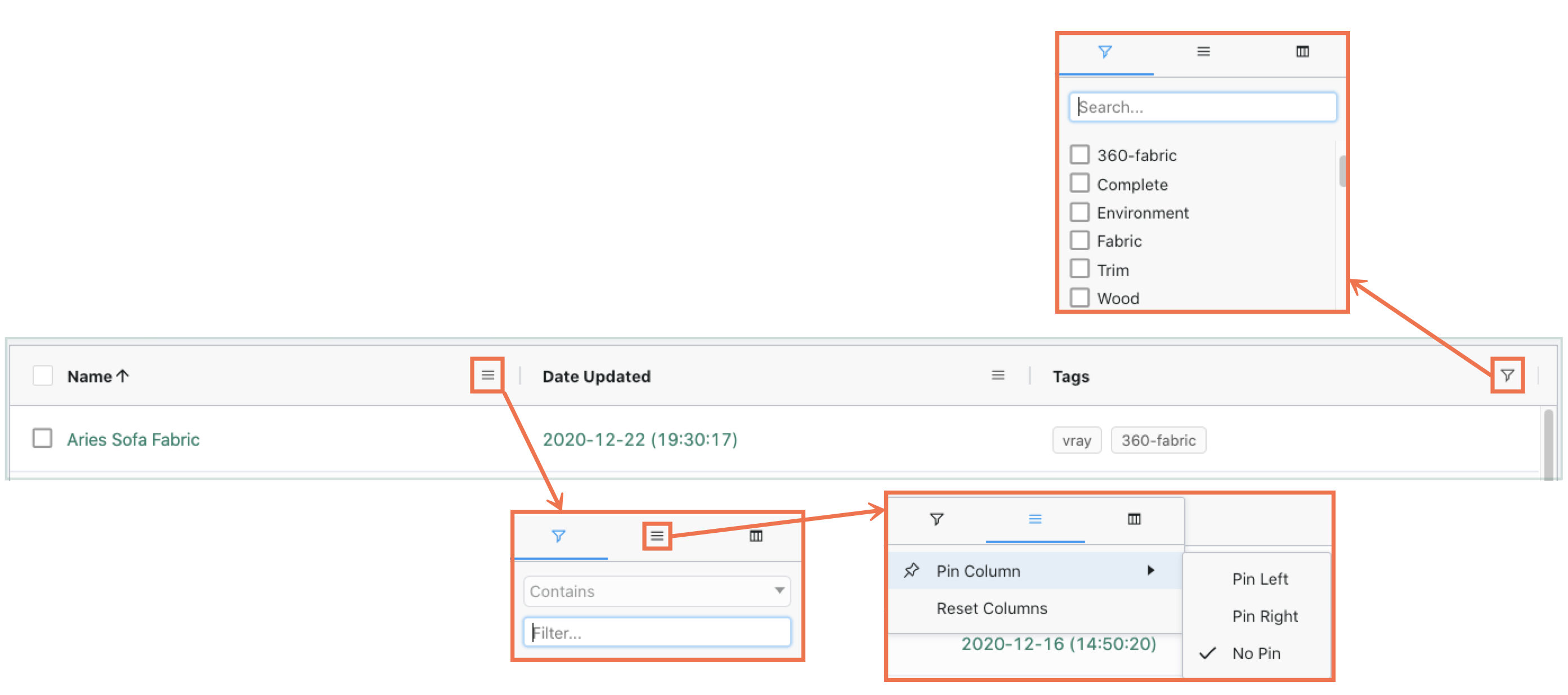
All columns are sortable, and may may be hidden or rearranged as desired.
Columns may also be filtered by name or tag, and can also be pinned.
When Selected, Catalog Items may be [Cloned](#cloning-catalog-items) or Deleted.
Columns may also be expanded or contracted as desired.
From the Products listing, a JSON file may be used to import Product Information by way of the **Import Items** button.
A JSON file with a full listing of Items will be produced upon hitting the **Export Items** button
A Catalog Item may be created manually by way of the **+ Add Items** button.
The [Product Import API](https://developer.threekit.com/docs/product-import-example-json) may also be used to import Catalog Items.
### Catalog Item
#### Preview
The preview consists of The Threekit Player, and presents a varying view based on the type of asset referenced. Models will appear as expected, Materials are presented on a sphere, and textures appear as a two-dimensional swatch. Configurable Models and Materials will appear with all corresponding, visible Attributes.
.png?alt=media\&token=9483f440-ce6d-4756-b506-26393bba8b10)
This Preview is fully interactive. Any real-time selection of Attribute Values are reflected in the Player (should supporting, corresponding Logic be established on the referenced 3D Asset). Any administrative changes made to the Configuration Form by way of adding/deleting or manipulating Attributes are also reflected in real-time.
### Item Details
#### **Name**
The Name (character limit: 255) of the Item, also reflected at the top of an individual product's page.
#### **Description**
Contains the Description (character limit: 5000) of the Catalog Item.
#### **Assigned Asset**
Reference to the visual asset represented by the Catalog Item (only Models, Materials, or Textures should be referenced). The **view** button opens a new tab displaying the referenced Asset.
#### **Tags**
Tags are used to organize Catalog Items in line with the architecture of a given Product Catalog. Tags allow for easily connoting shared Parts and Materials and may be leveraged within Attributes.
#### **Keywords**
Keywords are used externally for such things as Search-Engine Optimization (SEO).
#### Metadata
Any additional Metadata relevant to the Product is displayed in this panel. Metadata can be used by any connector. The panel contains no fields out of the box. String and Number values are supported.
#### Attributes
Attributes represent the configurable qualities of a Product. Currently, String, Number, Part References, and Image Uploads are supported. Part references may be literal, or leverage shared tags amongst Catalog Items to present configuration options to the user.
#### Rules
Rules leverage Attributes to control Attribute visibility and set default Attribute Values.
#### Plugins
Plugins are custom JavaScript attached to Items and Assets that register event-driven hooks to extend and customize player behavior.
### Catalog Item Buttons
In addition to editing a Catalog Item, the buttons along the top of the interface can be used to create a new render job, view existing renderings, create a product variant, delete the Item, or [Clone the Item](#cloning-catalog-items).
### Cloning Catalog Items
Catalog Items may be cloned by way of the Clone button at the top of the Catalog Item page.
The Asset reference of the original Item will be retained. The name of the newly created Item will remain the same along with the word "Clone" appended to the end.
When cloning an item, the new item will contain all field values, including all associated Attributes, Rules, Tags, and Metadata.
If a Composite Asset was associated with the Item, the new clone will also contain a cloned version of the composite asset.
.png?alt=media&token=c7af7c54-95b8-43b2-a160-5df9fe5dc45e)

.gif?alt=media&token=c4e44c15-292d-4ec1-9de6-2cd4fdd7b74d)
